
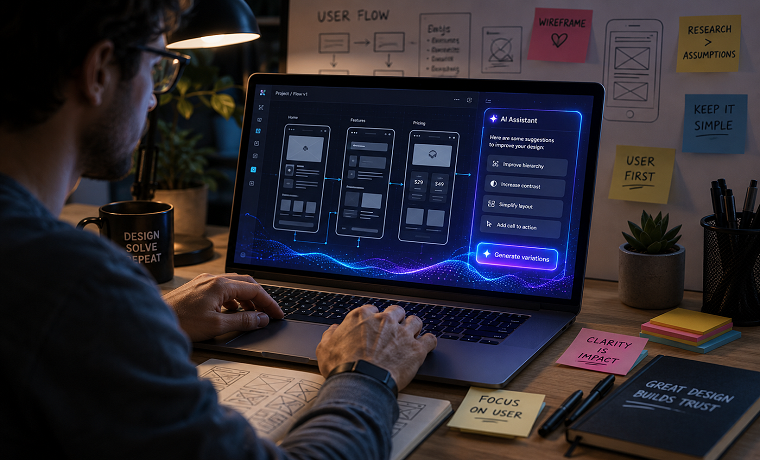
As artificial intelligence increasingly automates layout generation, component selection, and user interface customization, product teams face a new challenge: ensuring automated experiences remain accessible. When algorithms handle real-time UI decisions, design accessibility can no longer be an afterthought applied during post-launch QA.
Building an accessibility-first UX strategy within AI-driven workflows requires proactive safeguards. Design systems must incorporate strict Web Content Accessibility Guidelines (WCAG) compliance at the architectural level to ensure automated tools generate inclusive experiences for every user.
The Risk of Algorithmic Accessibility Debt
Automated UI generation risks accelerating accessibility debt. Traditional static designs allow accessibility specialists to audit contrast ratios, DOM structures, and screen reader labels before deployment. In contrast, AI-generated components adjust dynamically based on contextual signals, making pre-render manual audits nearly impossible.
When generative models handle component output, common failure points include:
- Dynamic Color Contrast Violations: AI-selected color combinations or dynamic dark-mode overlays that fail WCAG AAA or AA contrast ratios (4.5:1 for standard text, 3:1 for large text).
- Unstructured DOM & Heading Hierarchies: Automated layout components that output non-sequential heading tags (
<h1>followed by<h4>), breaking screen reader navigation flows. - Missing Accessible Names & ARIA Labels: Dynamic buttons, modal triggers, and icon states generated without programmatic labels (
aria-label,aria-expanded). - Keyboard Focus Traps: Interactive components inserted into the DOM without managed focus states or sequential
tabindexflows.
1. Enforcing Color Contrast via Dynamic Color Engines
To prevent dynamic color palettes from violating contrast standards, product teams should build color calculations directly into the UI design tokens rather than trusting generative outputs.
TypeScript
// Utility to calculate contrast ratio dynamically
function getLuminance(r: number, g: number, b: number): number {
  const [rs, gs, bs] = [r, g, b].map(v => {
    v /= 255;
    return v <= 0.03928 ? v / 12.92 : Math.pow((v + 0.055) / 1.055, 2.4);
  });
  return 0.2126 * rs + 0.7152 * gs + 0.0722 * bs;
}

export function validateContrast(rgb1: [number, number, number], rgb2: [number, number, number]): boolean {
  const lum1 = getLuminance(...rgb1);
  const lum2 = getLuminance(...rgb2);
  const ratio = (Math.max(lum1, lum2) + 0.05) / (Math.min(lum1, lum2) + 0.05);

  // WCAG AA standard threshold
  return ratio >= 4.5;
}
Enforcing programmatically validated color tokens ensures that even when an AI engine adjusts themes on the fly, output colors pass contrast compliance automatically.
2. Programmatic ARIA Injection & Semantic Fallbacks
AI-driven interfaces often render visual state changes without updating the underlying accessibility tree. When streaming components or loading real-time layouts, components must carry automated semantic fallbacks and explicit ARIA bindings.
HTML
<!-- Example of a machine-generated accessible alert/status notification -->
<div
  class="dynamic-status-card"
  role="region"
  aria-live="polite"
  aria-labelledby="status-title"
>
  <h2 id="status-title" class="text-base font-semibold">
    Account Status Updated
  </h2>
  <p class="text-sm text-gray-700">
    Your dynamic subscription plan settings have been optimized for high usage.
  </p>
  <button
    type="button"
    aria-expanded="false"
    aria-controls="details-panel"
    class="interactive-trigger"
  >
    View Optimization Details
  </button>
</div>
Binding aria-live="polite" ensures screen readers communicate dynamically rendered updates without interrupting the user’s immediate audio stream.
3. Automated Focus Management for Dynamic Components
When dynamic interfaces render new components, focus management determines whether a keyboard user remains oriented or loses their spot in the document flow. Without explicit focus management, newly injected UI elements can leave keyboard focus behind in disconnected DOM nodes.
JavaScript
import { useEffect, useRef } from 'react';

// Hook ensuring focus moves smoothly to machine-generated dynamic components
export function useAutomatedFocus(shouldFocus) {
  const elementRef = useRef(null);

  useEffect(() => {
    if (shouldFocus && elementRef.current) {
      // Set temporary focus target without altering default tab order
      elementRef.current.setAttribute('tabIndex', '-1');
      elementRef.current.focus();
    }
  }, [shouldFocus]);

  return elementRef;
}
Attaching managed focus hooks to newly rendered sections prevents keyboard traps and guarantees that screen reader focus advances predictably through dynamically generated content.
4. Continuous Automated Compliance Auditing
Integrating automated accessibility engines into continuous integration (CI/CD) pipelines helps catch accessibility issues early. Utilizing accessibility engines like axe-core inside end-to-end testing frameworks ensures that dynamically rendered UI variants pass accessibility checks across all generated layout permutations.
- Automate Schema Guards: Validate component output properties against strict accessibility rules before rendering components in client viewports.
- Enforce Reduced Motion Preferences: Respect user preferences by automatically disabling dynamic transitions when
prefers-reduced-motion: reduceis detected. - Provide Manual Override Controls: Allow users to pause real-time updates, lock layout shifts, and toggle high-contrast modes independently.
Elevating Automated Experiences Safely
Inclusive design principles ensure that dynamic digital experiences remain open and accessible to all users. By implementing programmatic contrast validation, automated focus management, and strict semantic HTML standards, web development and design teams can deliver personalized user experiences without compromising compliance or usability.
About Author

Founder
David Watson is the founder of DesignDrizzle and is a professional website designer for over 10 years. He has competence in creating visually appealing and user-friendly websites for all the clients. He likes to explore new and creative ideas for designing, photography effects and other inspirational subjects