
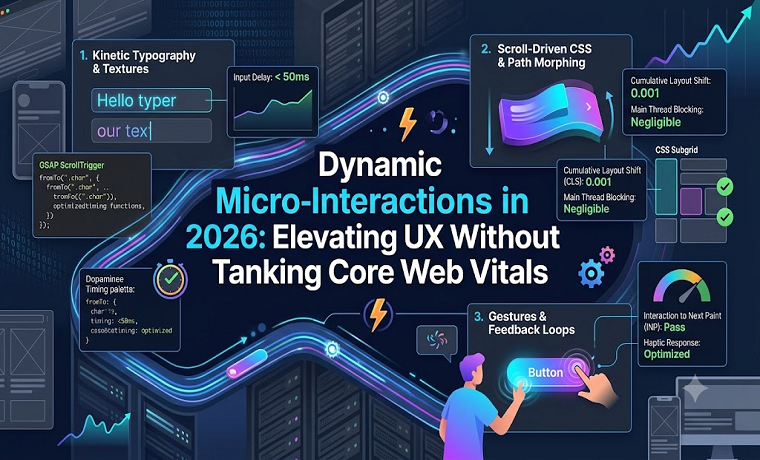
The web design landscape in 2026 demands a sophisticated balance between tactile expressiveness and technical optimization. Modern web design trends 2026 favor highly responsive, deeply immersive interfaces that engage users through continuous visual feedback. From dynamic cursor reactions to micro-feedback upon user inputs, modern digital products leverage UX micro-interactions to create memorable brand experiences.
However, rich visual experiences present a distinct engineering challenge: implementing continuous visual movement often threatens Core Web Vitals visual performance. Unoptimized motion design can rapidly inflate Interaction to Next Paint (INP), cause unwanted layout shifts (CLS), and degrade Largest Contentful Paint (LCP) speeds. Achieving high-end visual design alongside seamless performance requires adopting modern lightweight motion design techniques directly natively in the browser.
Modern Aesthetics: Expressive UI Patterns in 2026
To understand how performance and design intersect, developers must examine the dominant aesthetic movements shaping frontend development:
Kinetic Typography
Static headlines are increasingly replaced by kinetic typography that fluidly adapts to scroll positioning, cursor proximity, or page state transitions. Rather than serving purely decorative purposes, variable fonts stretch, morph, and adjust weights dynamically to direct user intent down the page.
Dopamine Color Palettes
Vibrant, energetic color choices—often referred to as dopamine color palettes—dominate modern UI interfaces. These bright gradients and high-contrast hues react in real-time to user interactions, shifting fluidly during hover states, form submissions, and button clicks to yield immediate visual feedback.
Scroll-Driven CSS Animations
Moving away from rigid timer-based animations, modern web applications synchronize motion directly with user scroll behavior. Scroll-driven animations create a direct, physical sense of control, ensuring elements animate smoothly relative to the viewport position without relying on main-thread blocking scripts.
Performance Engineering: Implementation and Code Snippets
Maintaining smooth frame rates and rapid load times requires moving execution off the main thread whenever possible. The following architectural strategies demonstrate how to implement rich motion patterns while preserving Core Web Vitals targets.
1. Offloading Motion with Scroll-Driven CSS Animations
Historically, scroll-linked interactions required listening to window.onscroll events in JavaScript, triggering frequent reflows and driving up INP times. With native CSS scroll timelines, browsers execute scroll animations entirely on the GPU compositor thread, eliminating main-thread overhead.
/* Performant kinetic typography powered by scroll position */
@keyframes dynamic-weight-shift {
  from {
    font-weight: 300;
    letter-spacing: 0.05em;
    transform: scale(0.98);
  }
  to {
    font-weight: 800;
    letter-spacing: -0.02em;
    transform: scale(1.02);
  }
}

.kinetic-header {
  font-family: 'VariableFont', sans-serif;
  animation: dynamic-weight-shift linear both;
  animation-timeline: scroll(root);
  animation-range: entry 0% exit 80%;
  will-change: transform;
}
By leveraging hardware-accelerated CSS properties (transform, opacity), this approach ensures zero layout thrashing, preserving optimal CLS and low input latency.
2. Preventing CLS using CSS Subgrid for Dynamic Cards
Micro-interactions like hover expansions or interactive state reveals often disrupt nearby grid items, causing subtle layout shifts that lower performance scores. Using CSS Subgrid alongside container query units allows nested components to adapt dynamically while remaining pinned to a shared parent layout grid.
.interactive-grid {
  display: grid;
  grid-template-columns: repeat(auto-fill, minmax(300px, 1fr));
  gap: 2rem;
}

.card-component {
  display: grid;
  grid-template-rows: subgrid;
  grid-row: span 3;
  transition: transform 300ms cubic-bezier(0.16, 1, 0.3, 1);
}

.card-component:hover {
  /* Transforming without disturbing neighboring grid row alignment */
  transform: translateY(-6px);
}
Because CSS Subgrid maintains predictable row heights across items, dynamic visual state changes execute cleanly without triggering full-page reflows.
3. Lightweight SVG Path Morphing with GSAP
For liquid button feedback, morphing icons, or dynamic cursor indicators, vector shape shifts provide organic visual flair. To avoid performance degradation, path geometries must remain clean, and execution should be guarded to avoid unnecessary animation thrashing.
import { gsap } from 'gsap';
import { MorphSVGPlugin } from 'gsap/MorphSVGPlugin';

gsap.registerPlugin(MorphSVGPlugin);

const actionButton = document.querySelector('.cta-button');

actionButton.addEventListener('pointerenter', () => {
  // Execute performant vector morphing on pointer interaction
  gsap.to('#icon-shape-initial', {
    duration: 0.35,
    morphSVG: '#icon-shape-hover',
    ease: 'power2.out',
    overwrite: 'auto'
  });
});
Using pointerenter instead of raw mouse move handlers reduces event dispatch frequency, reducing CPU load and maintaining optimal INP metrics during continuous user interaction.
Core Vitals Optimization Rules for Motion Design
To maintain strict Core Web Vitals visual performance thresholds while delivering detailed micro-interactions, follow these essential design rules:
- Composite-Only Animations: Limit properties in motion loops to
transform,opacity, andfilter. Avoid animating geometric dimensions likewidth,height,top, orpaddingthat force reflows. - Strategic Hardware Acceleration: Reserve the
will-changeproperty strictly for elements actively undergoing heavy animation, removing it when animations conclude to prevent memory leaks. - Accessibility Integration: Respect user motion settings by wrapping non-essential micro-interactions within a
prefers-reduced-motionmedia block.
@media (prefers-reduced-motion: reduce) {
  *, ::before, ::after {
    animation-duration: 0.01ms !important;
    animation-iteration-count: 1 !important;
    transition-duration: 0.01ms !important;
    scroll-behavior: auto !important;
  }
}
Conclusion
Creating compelling user interfaces in 2026 does not require trading visual richness for technical performance. By combining modern CSS features—such as scroll-driven timelines and subgrid—with targeted JavaScript utilities for SVG manipulation, developers can build reactive, visually expressive applications. Adopting lightweight motion design practices guarantees that web apps feel tactile and modern while seamlessly passing Core Web Vitals checks.
About Author

Founder
David Watson is the founder of DesignDrizzle and is a professional website designer for over 10 years. He has competence in creating visually appealing and user-friendly websites for all the clients. He likes to explore new and creative ideas for designing, photography effects and other inspirational subjects