
For a long time, digital product design lived with a comforting rule: things were either black or white. We built apps and websites on fixed, predictable foundations. If a user clicks Button A, Screen B always opens. We mapped out clean, straight lines for how people should navigate our apps, and we treated testing as a crystal ball that gave us one right answer. We acted as if human behavior was a simple math problem and our software was a machine that never changed its rhythm.
But as AI becomes a core part of software, this rigid way of thinking is breaking down. When an AI system suggests a product, changes a screen layout on the fly, or guesses what a user wants to do next, it isn’t following a simple, hard-coded rule. It is making a guess based on statistics and likelihoods.
In a world powered by AI predictions, treating these guesses as absolute facts leads to broken experiences. To build software that feels reliable and easy to use, product teams must shift from fixed thinking to Probabilistic Design. This simply means designing systems that expect variation, looking at AI suggestions with a healthy dose of skepticism, and creating flexible layouts that adapt when things do not go perfectly as planned.
The Trap of Demanding Perfection
Traditional product design hates unpredictability. We create rigid design systems to make sure every button looks exactly the same, and we build strict validation forms to block any unexpected user data. When teams first started adding AI features to their products, they brought this same “yes or no” mindset with them. We expected the algorithm to be 100% right or 100% wrong.
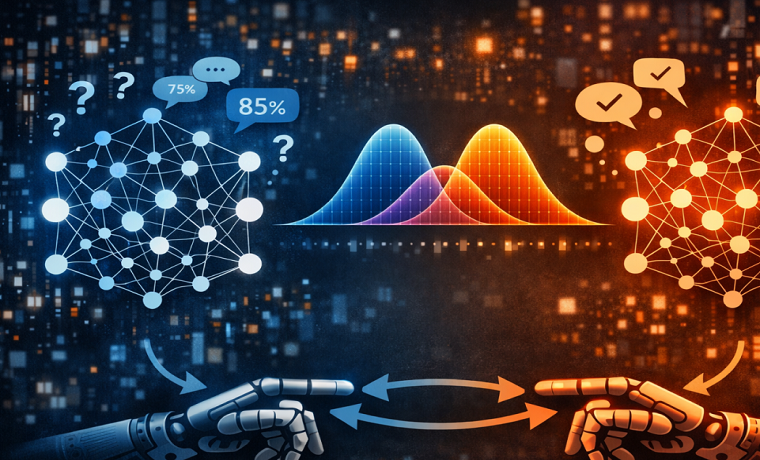
This expectation creates a major problem. If an AI system calculates that a user has an 85% chance of wanting a specific feature, a traditional interface hides that remaining 15% of doubt. It forces the user down a strict path based entirely on an average guess.
When that guess is wrong, the system breaks down completely instead of adjusting smoothly. The user gets stuck with irrelevant recommendations, weird automated choices, or error screens with no clear way out. Hiding the messy reality of data behind a mask of perfect certainty ruins user trust and makes apps feel fragile.
What is Probabilistic Design?
Probabilistic Design is the practice of building digital interfaces and software logic around likelihoods instead of certainties. Instead of assuming every user follows the exact same path, a probabilistic designer views a screen as a flexible space. The layout can change depending on how confident the AI is, what the user is doing, and the current context.
Instead of asking, “Will this feature work perfectly for everyone?” a probabilistic team asks, “What are the different things that could happen here, and how do we make sure the app stays useful no matter which one occurs?”
By using machine learning to analyze patterns, teams can look at user data alongside real human feedback to see how likely an action is. These insights do not lock down a single, unchangeable screen. Instead, they act as a guide that helps teams manage risks, keep control in human hands, and build smart safety nets.
Three Core Ideas to Build On
Moving away from fixed rules requires a deliberate change in how we build interfaces. A reliable probabilistic approach rests on three simple ideas: Transparency, Control, and Flexibility.
1. Show the Reasoning (Transparency)
Hidden systems that make decisions in secret make people nervous. If an automated tool gives a critical business forecast or changes a medical tracking screen, the user needs to see the why behind it. Transparency means showing how confident the system is and what main factors drove that recommendation. When an app shares this information, users can make their own informed decisions instead of blindly trusting a machine.
2. Keep Humans in Charge (Control)
People need to feel like they are in control to trust software. Users are much happier to accept AI suggestions when they know exactly where the boundaries are and can change things instantly. Probabilistic design makes manual overrides obvious. The screen must clearly show who is making a choice, what happens if the guess is wrong, and exactly how a person can step in to take the wheel.
3. Build for Mistakes (Flexibility)
A rigid app works beautifully when everything is perfect, but it crashes and burns when data gets messy or the AI is unsure. Flexible design focuses on adaptive systems. It reminds us that an interface must remain easy to use and clear, even when the underlying AI system is confused or has low confidence.
A Practical Guide for Product Teams
Changing how your team works does not happen overnight. You can use this simple framework to start designing with uncertainty today:
Rewrite Your Expectations
Stop looking at features as complete wins or total failures. Instead, look at design choices as ideas that need to be tested against real human behavior. Swap out vague goals for clear, structured assumptions:
“We believe [this change] will help users because [this reason]. We will know we are right when we see [this specific data measurement].”
For example: “We believe shortening the signup process from five pages to three will increase our signups because users get tired of filling out forms. We will know we are right when we see a 15% increase in completed signups without a drop-off in how much they use the app later.”
Use AI to Spot Blind Spots
Before spending months of engineering time building a massive new feature, use AI models to simulate how users might navigate it. By running these simulations using your past customer data, you can catch confusing steps and friction points early, saving weeks of manual guesswork.
Try Multiple Variations at Once
In a probabilistic framework, building one single interface for every single user is an outdated approach. It is often much better to run a few different versions of a feature at the same time. By sending different groups of users to different variations based on their needs, teams can learn from real behavior without risking the entire app on a single guess.
Keep a Shared Dashboard
Don’t hide product uncertainties from your developers or stakeholders. Keep a simple, shared dashboard that tracks the success rates and variations of live tests. Keeping this data out in the open ensures that engineers, product managers, and designers stay aligned on the fluid, changing nature of live software.
Designing for Dropping Confidence
The most important part of probabilistic design is managing dropping confidence. When an AI model’s confidence score falls below a certain level, the interface needs to shift automatically to keep the experience smooth.
[High Confidence]   --> Show the highly personalized, automated guess
[Medium Confidence] --> Show a short list of options for the user to pick from
[Low Confidence]    --> Fall back to a standard, simple layout that works for anyone
If a predictive search bar is 95% sure of what you are typing, it can safely autofill the word. If its confidence drops to 40%, it shouldn’t guess. Instead, it should degrade gracefully—maybe by showing a standard list of popular searches or leaving the bar completely empty so the user can type manually. Designing for these low-confidence moments ensures the app handles mistakes safely and keeps user trust intact.
Changing the Way Teams Work
Designing with uncertainty requires a change in company culture. For years, product teams have been rewarded only for quick, short-term metric boosts. This often causes teams to pick fast fixes that hurt the user experience over time.
Probabilistic design forces us to focus on small, constant improvements rather than huge, risky feature launches. It requires leadership to value learning just as much as a quick win. When we stop fearing uncertainty and treat it as a normal, measurable part of the building process, we unlock the true value of modern software. We stop building static apps for perfect, imaginary users, and we start creating living, resilient digital products that adapt beautifully to the unpredictable reality of everyday human life.
About Author

Founder
David Watson is the founder of DesignDrizzle and is a professional website designer for over 10 years. He has competence in creating visually appealing and user-friendly websites for all the clients. He likes to explore new and creative ideas for designing, photography effects and other inspirational subjects